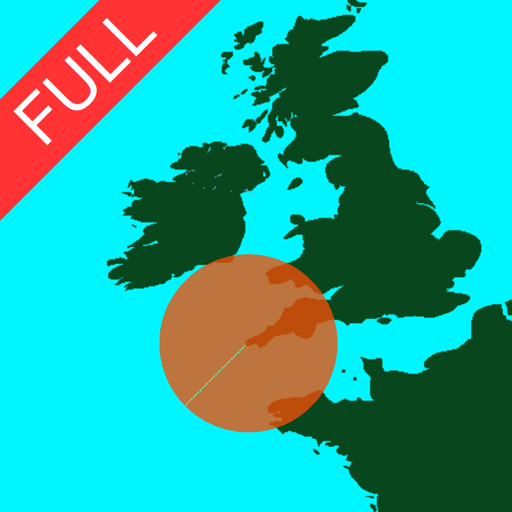
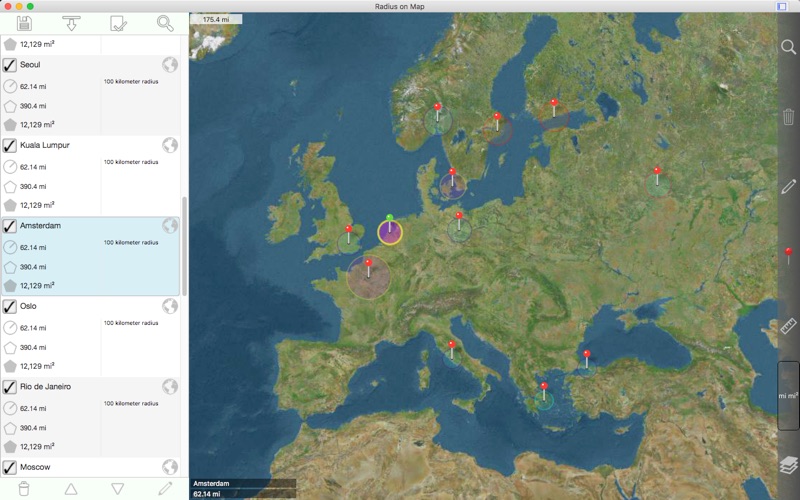
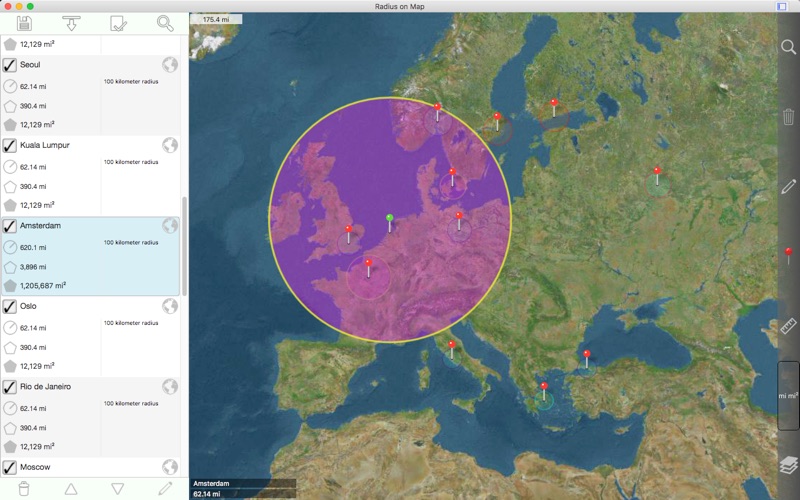
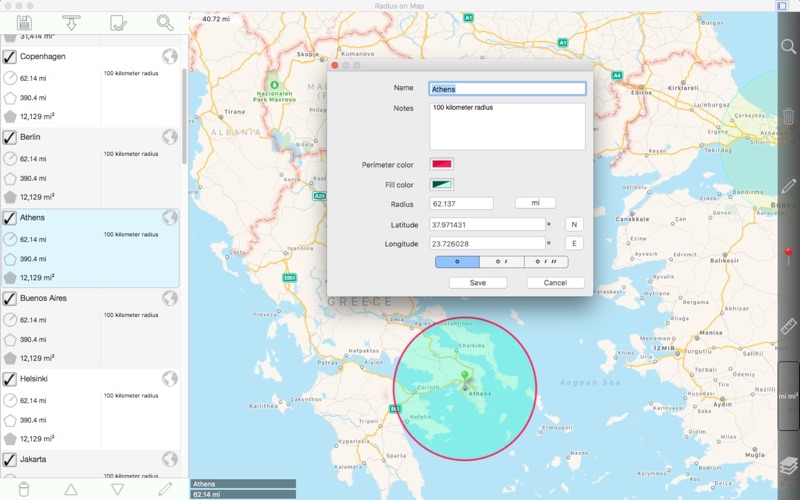
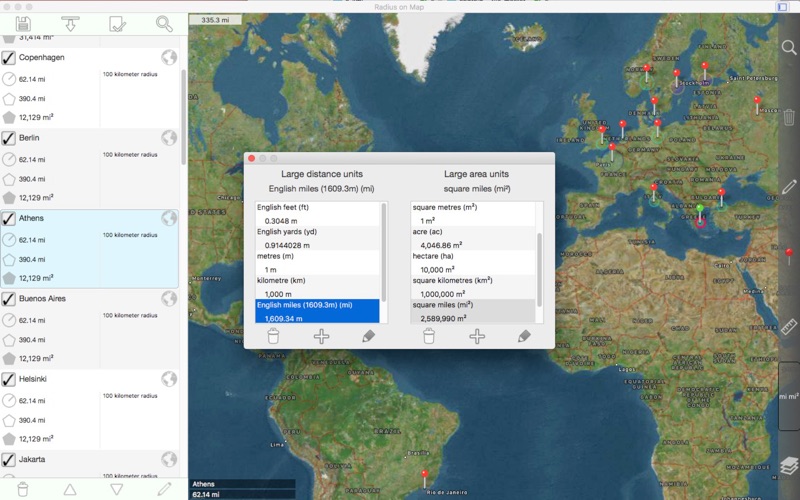
轻松在地图上制作和编辑半径。 每个半径的属性: - 中心坐标 - 半径 - 引脚颜色 - 填充颜色和不透明度 - 外围颜色和不透明度 - 名称 - 注释 (可选) 其他功能: - 在 .kml 文件中导入作为多边形存储的半径。 - 将半径导出为 60 点多边形,保存到一个 kml 文件中,以便查看 Google 地球™或其他映射应用程序。 - 指定的半径在地图上显示在列表视图中选择他们的能力。 - 搜索关键字的名称和说明字段以查找特定的半径。 - 在地图上显示当前位置。 这需要 WIFI 打开,附近至少有一个映射的 WIFI 网络。 - 正向地理编码:通过键入地址查找地图上的位置。 - 反向地理编码:查找地图上给定点附近的地址。 - 从地理编码结果创建新半径。 坐标格式包括: - 度 - 度,分钟 - 度,分,秒 - UTM(通用横向墨卡托) - MGRS(军用电网参考系统) (使用基准为 WGS-84) 距离单位包括: - 公里 - 英里 - 海里 - 米 - 码 - 英尺 - 自定义 以米为单位定义您自己的距离单位。 例如:1 厘米 = 0.01 米,1 公里 = 1000 米。 区域单位包括: - 平方米 - 平方呎 - 平方码 - 平方公里 - 平方英里 - 平方海里 - 亩 - 公顷 - 自定义 以平方米为单位定义您自己的面积单位。 例如:1 平方厘米 = 0.0001 平方米,1 平方公里 = 100000 平方米。 其他说明: - 包括重要操作(如移动、添加/删除和更改半径)的撤消/重做功能。 请访问更多的详细信息的 web 页。 English: Easily make and edit radii on a map. Properties for each radius: - Center coordinate - Radius - Pin color - Fill color and opacity - Perimeter color and opacity - Name - Notes (optional) Other features: - Import radii stored as polygons in a .kml file. - Export radii as 60 point polygons saved to a kml file to view in Google Earth™ or other mapping applications. - Ability to specify which radii show on the map by selecting them in the list view. - Search for keywords in name and notes fields to find a specific radius. - Show current location on map. This requires WIFI to be on and at least one mapped WIFI network nearby. - Forward geocoding: Find locations on the map by typing an address. - Reverse geocoding: Find addresses near a given point on the map. - Create a new radius from a geocoding result. Coordinate formats include: - Degrees - Degrees, Minutes - Degrees, Minutes, Seconds - UTM (Universal Transverse Mercator) - MGRS (Military Grid Reference System) (Datum used is WGS-84) Distance units include: - Kilometers - Miles - Nautical miles - Meters - Yards - Feet - Custom. Define your own distance units in terms of meters. For example: 1 centimeter = 0.01 meter and 1 kilometer = 1000 meters. Area units include: - Square meters - Square feet - Square yards - Square kilometers - Square miles - Square nautical miles - Acres - Hectares - Custom. Define your own area units in terms of square meters. For example: 1 square centimeter = 0.0001 square meter and 1 square kilometer = 1000000 square meters. Other notes: - Includes undo / redo functionality for important operations such as move, add / delete, and change radius. Please visit the web page for more details. - 当用户将"地图上显示位置"设置为"是"时,修复永久崩溃。 如果您仍然遇到此问题,请转到系统首选项 - >和隐私 - >定位服务,并启用应用程序的位置权限。 English: - Fix for perpetual crash when user sets 'show location on map' setting to 'Yes'. If you still experience this problem, please go to System Preferences -> Security & Privacy -> Location Services and enable location permission for the application. Please send crash reports if crashes occur. Please contact the developer via email if you have questions or notice any errors or issues.


























































 PDFReader_阅读转换朗读笔记划线
 素描本插画手绘画图板与绘画工具
 PDF转换器_JPGPNG图片转PDF
 雨燕精灵录屏
 FocusCity_番茄钟专注计时器
 BoardNotes_笔记白板PDF思维导图闪卡
 屏幕光标_突显鼠标和屏幕标记工具
 前进清单
前进清单 VideoSearch本地视频搜索
 WeeklyNote周周记
 ES文件浏览器PRO_ZIPRAR7Z压缩和解压缩
 PrizmoRemix智能扫描助手
 tetrify给自己发信息做笔记